Step off the boat with the report already written.

Marine Surveyors Pro is the iPad-first survey app for condition & valuation, insurance, damage and cargo work. Your checklist, photos and findings become a client-ready report while you inspect, not three evenings later at your desk.

Or read a finished report first: sailing catamaran, sportfish, trawler.

Built by surveyors, for surveyors
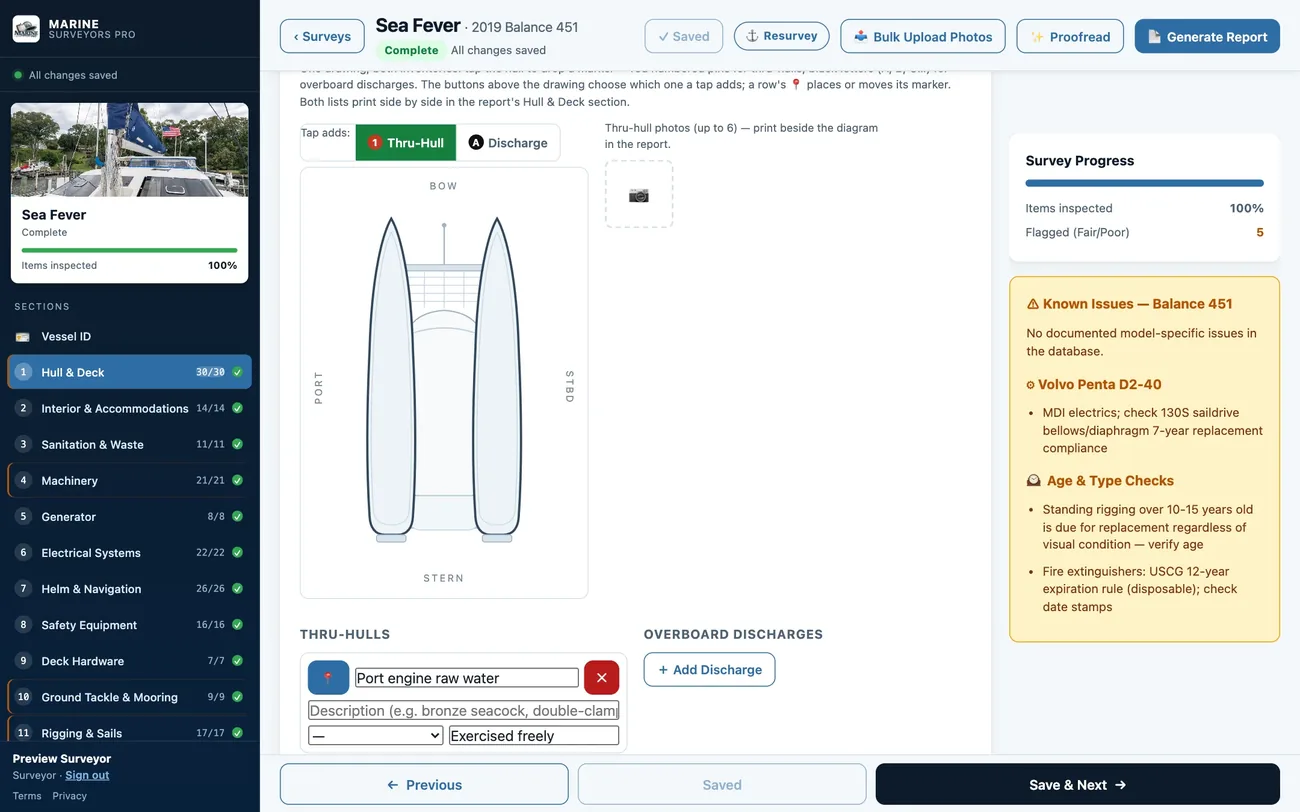
The same survey open on a laptop: the Hull & Deck checklist with ratings, notes and photos.
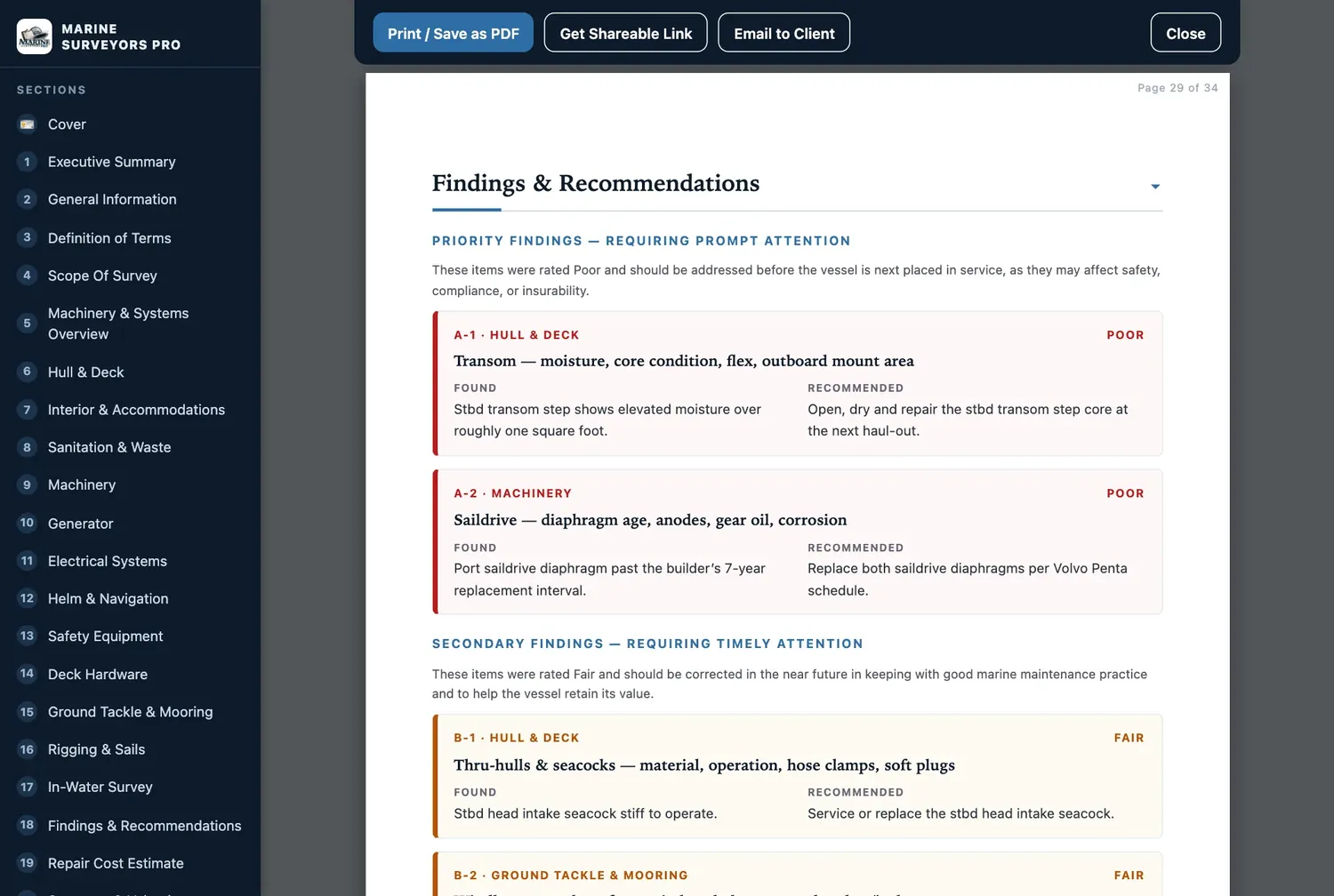
A finished survey report on an iPad: priority findings A-1 and A-2 with what was found and what is recommended, side by side.
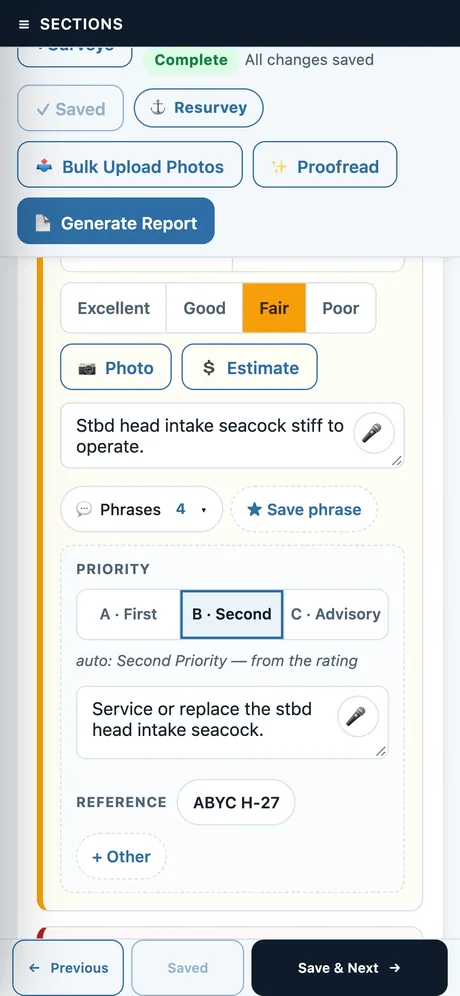
The same app on a phone: one checklist item rated Fair, with its note, recommendation and ABYC reference.
The survey day

One job, start to finish, in one place.

Most survey software is a report template. This follows the job the way you actually work it: from the phone call, to the bilge, to the emailed report, to the same boat next year.

01
Before you board

The boat is half set up before you arrive.

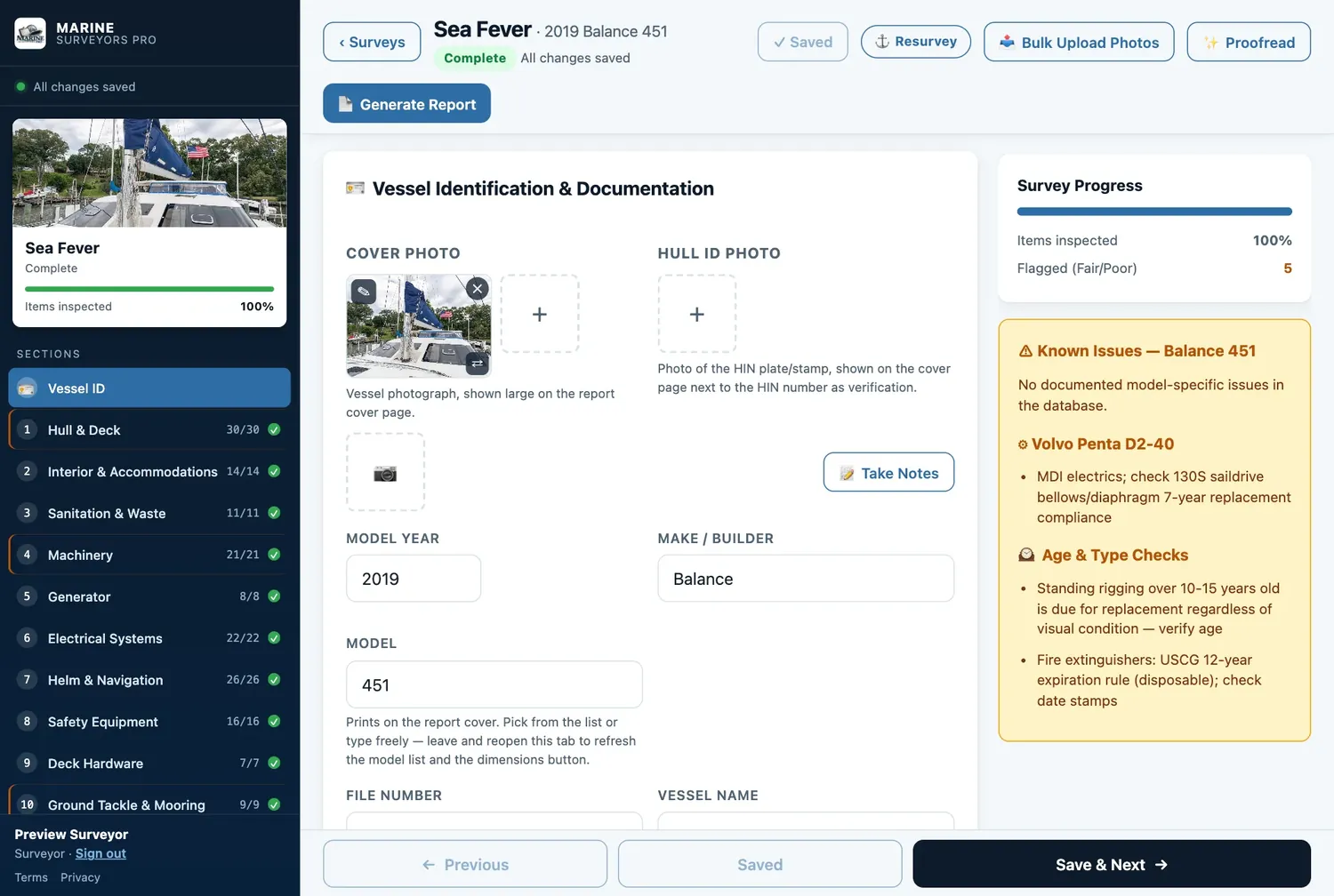
Pick the make and model and the app fills in the particulars, the engines she usually carries, and what to watch for on that model at that age: saildrive diaphragm intervals, rigging due by years not looks, extinguisher date rules.

Surveyed her before? Resurvey carries the boat forward and brings last time’s findings along as a review list. Conditions, notes and photos start fresh.

Vessel identification tab for a 2019 Balance 451, with a Known Issues panel listing engine, rigging-age and fire-extinguisher checks.
02
Aboard

One tap per item. The wording is already there.

Rate it, shoot it, move on. Every one of the 232 items offers wording for a clean inspection and for its common deficiencies, each carrying the recommendation and the ABYC or CFR reference it rests on. Tap one, then edit it like your own, because it is.

  • Dictation
  • Apple Pencil
  • Photo markup
  • Bulk photo upload
  • Moisture readings
  • Thru-hull diagram
  • USCG carriage checks
  • Expiry dates
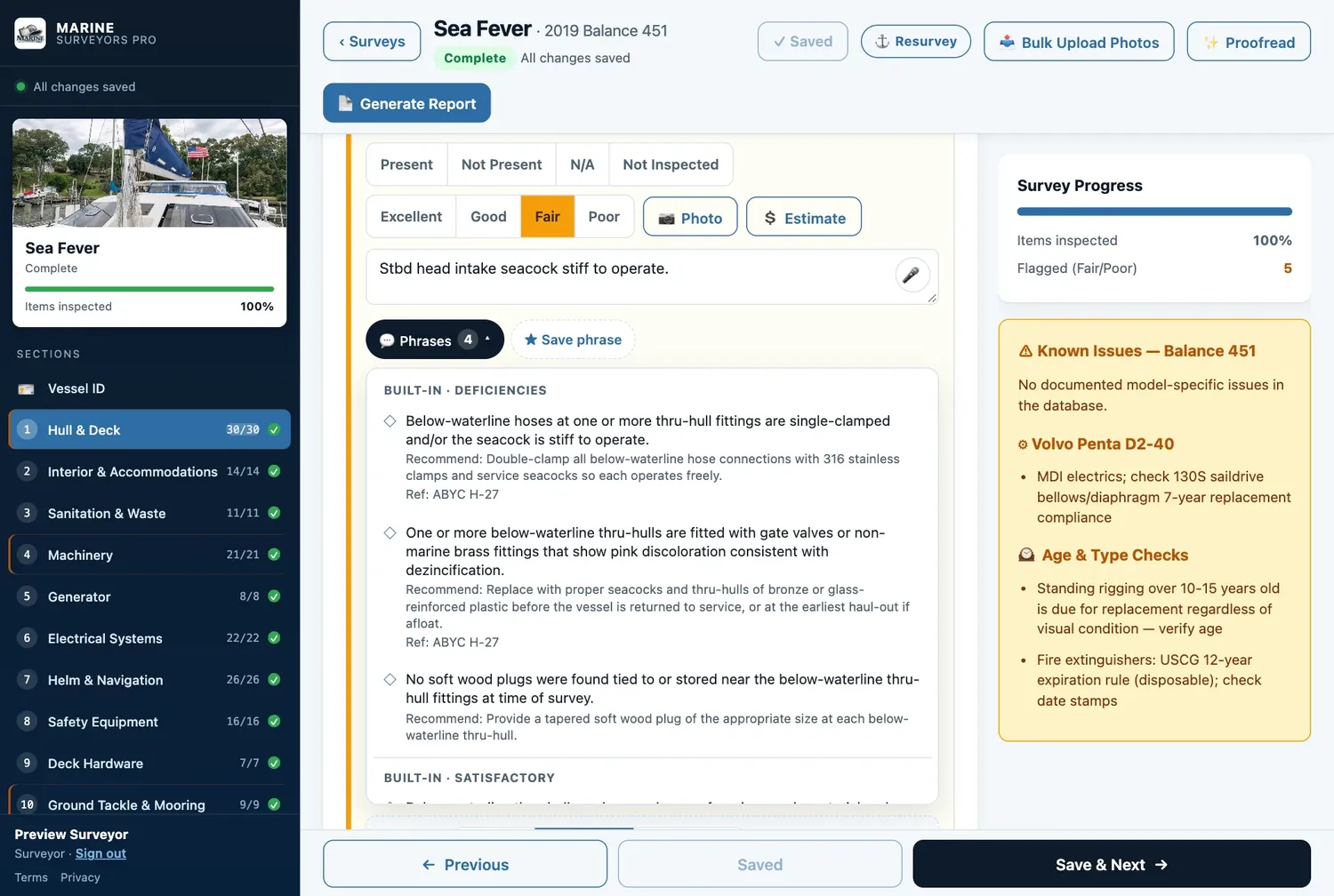
Hull and Deck checklist: a thru-hull item rated Fair with a note, and the Phrases menu open showing built-in deficiency wording with recommendations and ABYC H-27 references.
03
At the dock

Press Generate Report. That is the step.

Findings sort themselves by priority, each with what you found and what you recommend side by side. The cost worksheet totals parts and labor, the valuation states fair market value and replacement cost, and every photo lands in an index with its caption.

If you want help with the narrative, the AI drafts it from what you recorded, and proofreading catches the typos before your client does. Nothing changes until you say so.

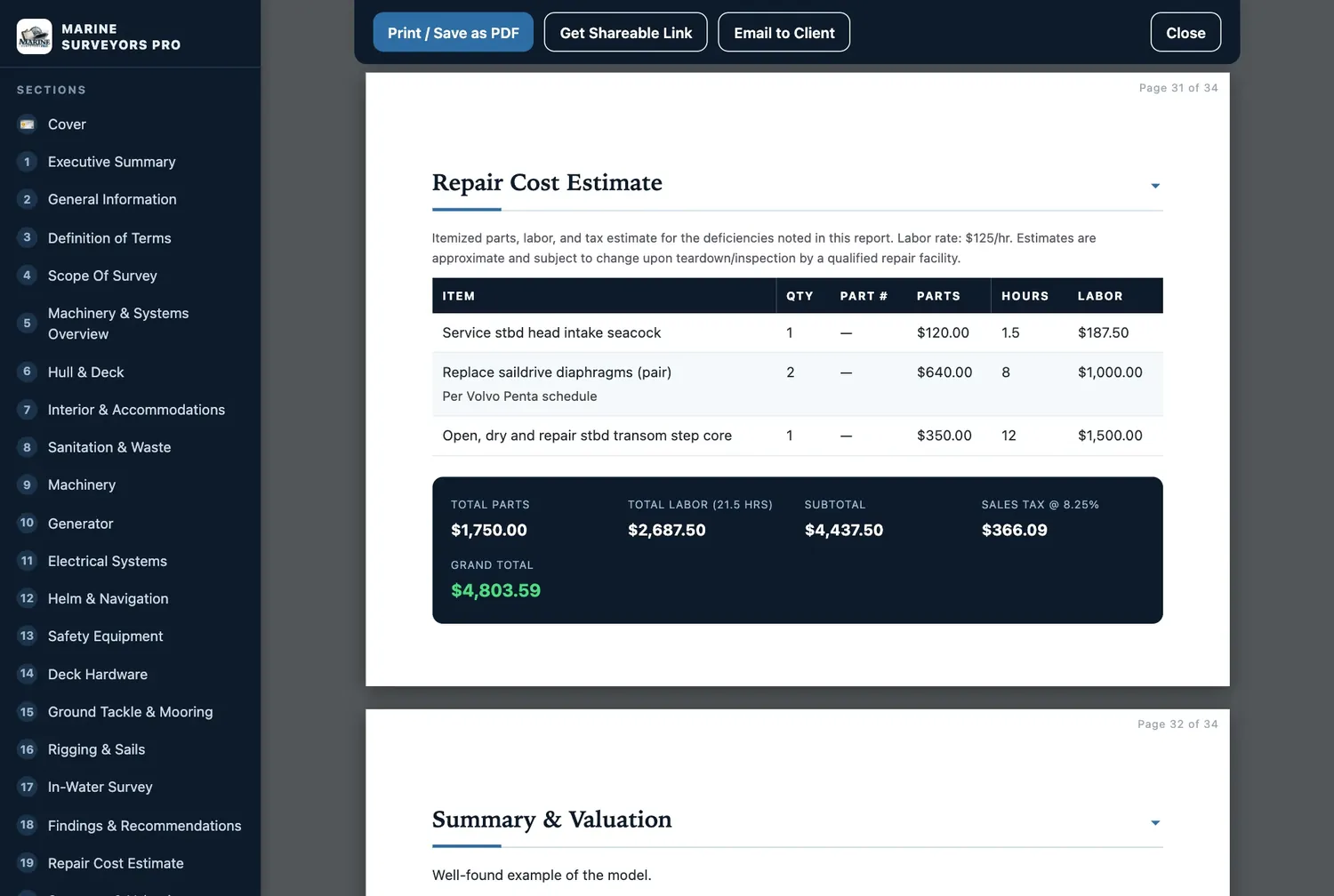
Repair cost estimate page of a generated survey report.
04
Delivered

Send a link, not a 40 MB attachment.

Create a private, read-only link your client opens in any browser. You choose when it expires and you can revoke it. Or email the report straight from the app, print it, or save the PDF. Your letterhead, credentials and signature are already on it, and your invoice can ride along.

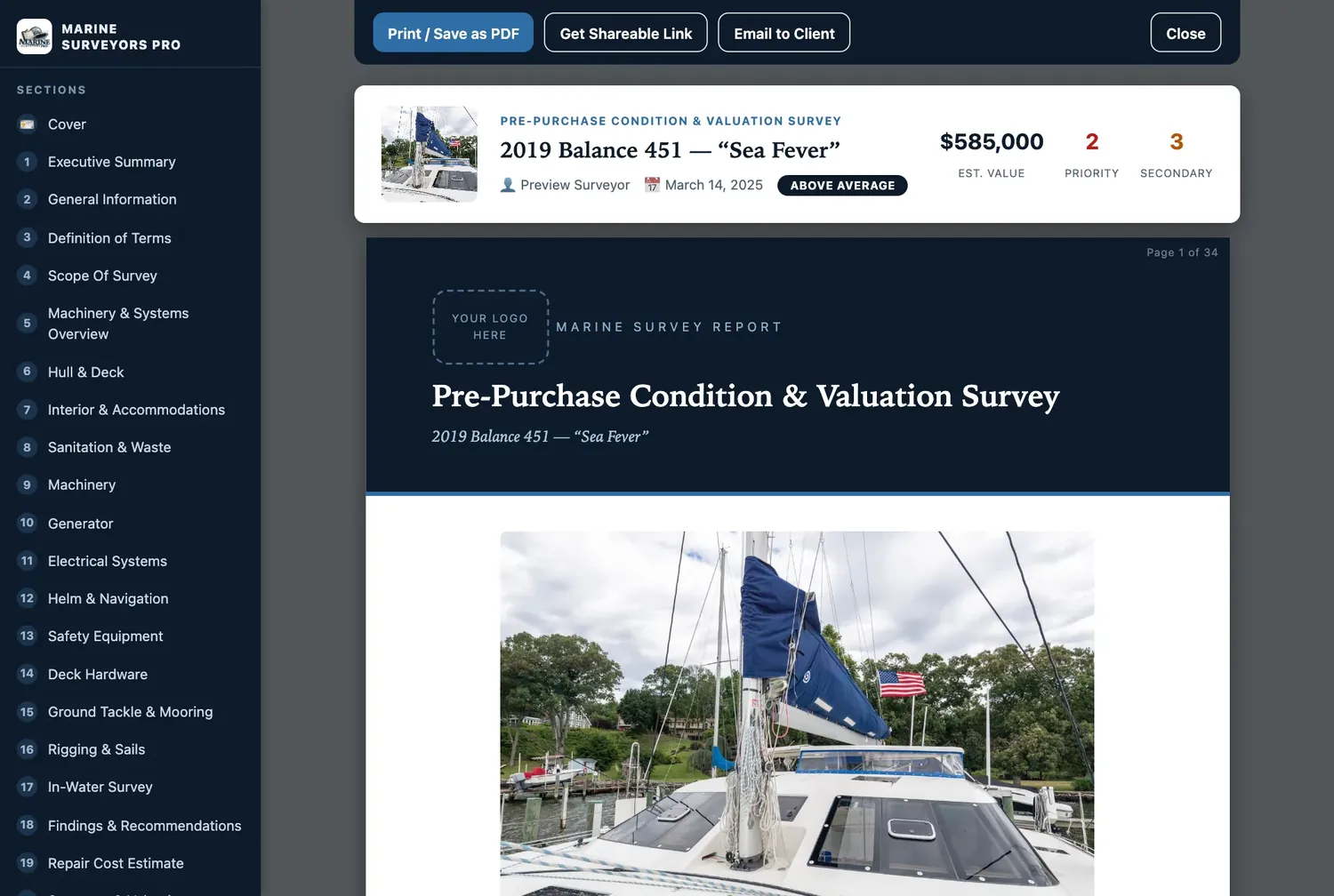
Report cover page in the app with buttons to print or save as PDF, get a shareable link, and email to the client.
05
Next season

The work you have done keeps working.

Issue a compliance re-inspection letter from the original findings. Pull up any past survey in seconds. Bring your back catalog in by importing old PDF reports, or photograph a hand-filled field form and let the app read it. Your own phrases follow you to every device.

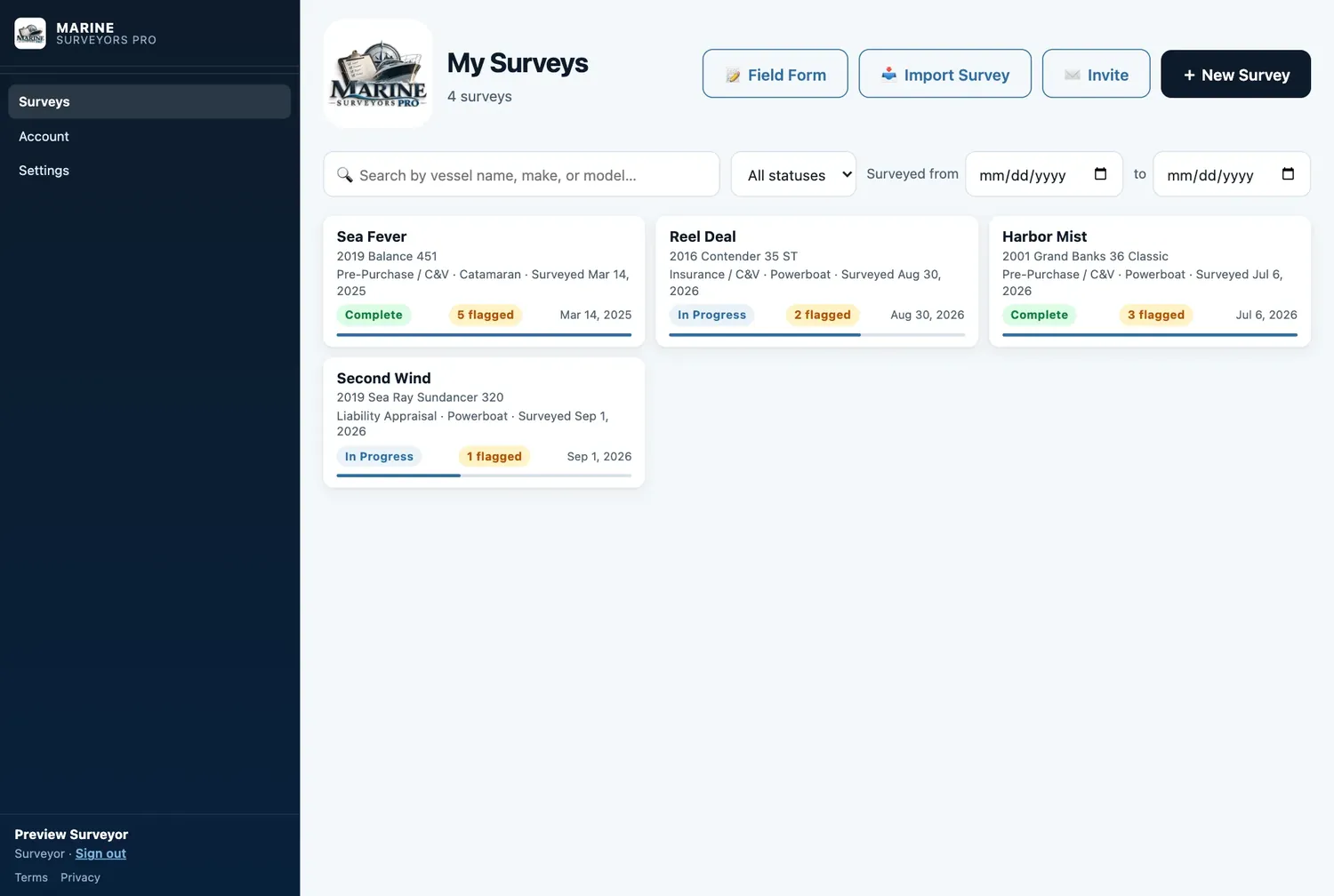
Survey dashboard listing past surveys with their status, flagged-item counts and dates.
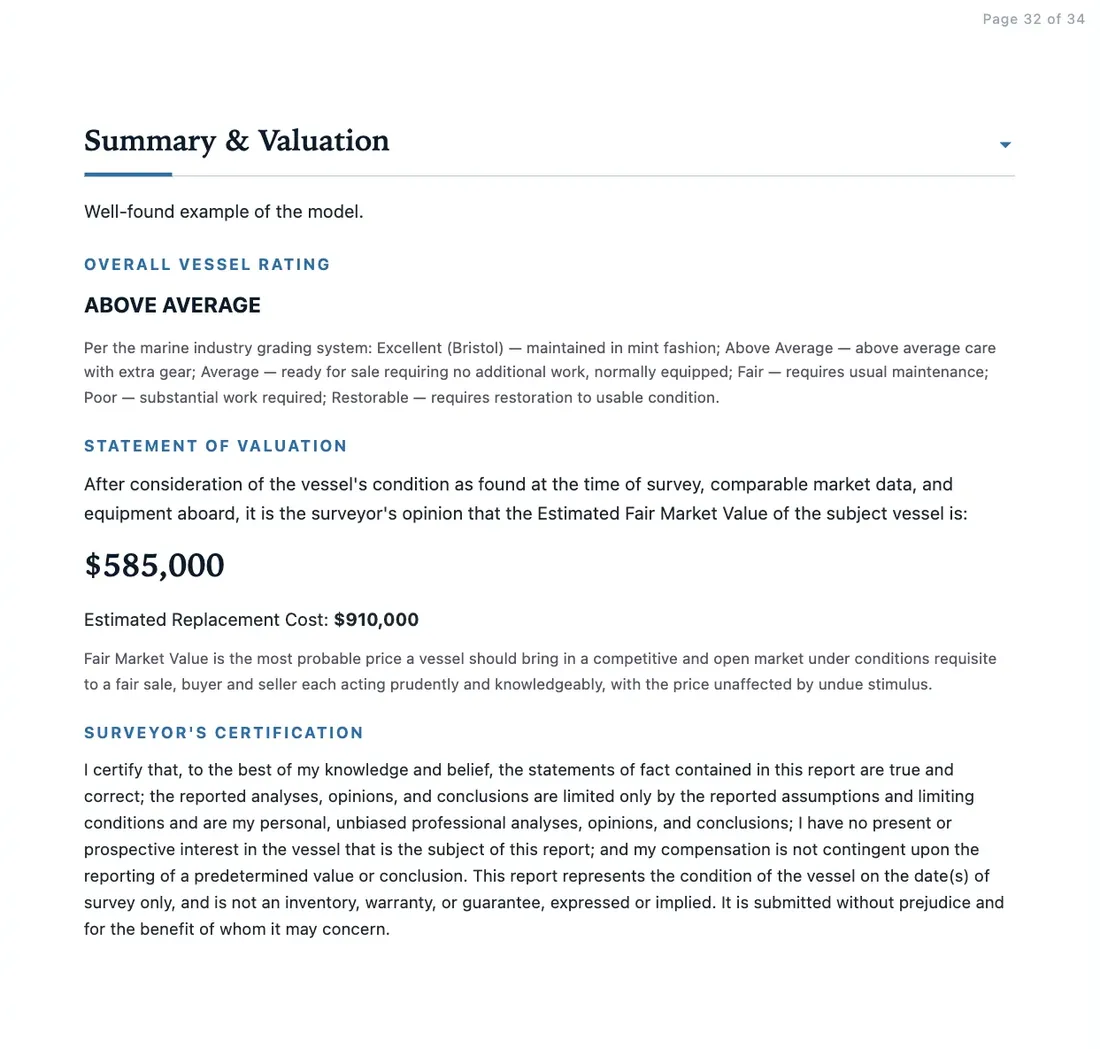
Summary and Valuation page of a generated report: overall vessel rating, statement of valuation with estimated fair market value and replacement cost, and the surveyor's certification.
The report

What an underwriter, a lender and a buyer all want to see.

Laid out so the important things cannot be missed, and worded so they stand up.

A · PRIORITYB · SECONDARYC · MAINTENANCER · REGULATORY
  • 01
    Executive summaryCondition, value and the findings that matter, on one page.
  • 02
    Findings & recommendationsRanked A, B, C and Regulatory, cross-referenced to the section tables.
  • 03
    System-by-system tablesEvery item you inspected, with status, rating and your notes.
  • 04
    Repair cost estimateParts and labor by finding, from your own rates.
  • 05
    ValuationFair market value and replacement cost, with your overall rating and certification.
  • 06
    PhotographsCaptioned, indexed, and placed where they belong.

Six formats: pre-purchase C&V, insurance C&V, liability appraisal, damage and claim, cargo survey, and insurer claim reports in preliminary, interim and final form.

What’s aboard

The full inventory.

No tiers and no add-ons. This is everything in the app today.

Inspect

On the boat

  • 15 inspection sections, including rigging and sails, sea trial, and damage assessment
  • Add your own checklist items and keep them for next time
  • Moisture readings logged by location
  • Thru-hull and discharge inventory on a hull diagram
  • USCG carriage requirements worked out from the vessel’s length
  • Live Victron battery and solar readings over Bluetooth or the boat’s WiFi (beta)
Write

In your words

  • 928 built-in phrases with recommendations and references
  • Your own phrase library, synced to every device
  • What you wrote for the same item on past surveys, one tap away
  • AI narrative drafting from what you recorded
  • Automatic proofreading; you apply or keep each suggestion
  • Dictation and Apple Pencil handwriting in any notes field
Deliver

To the client

  • Six report formats with your letterhead, credentials and signature
  • Share links with an expiry date, revocable any time
  • Email to client from inside the app
  • Print or save as PDF
  • Leave any section out of a given report
  • Survey invoice with your line items
Run

The practice

  • Every survey searchable by vessel, make, status and date
  • Resurvey a vessel from her last record
  • Compliance re-inspection letters
  • Import old PDF reports into new surveys
  • Read a paper field form from a photo
  • Works across iPad, phone and desktop, and you can invite a colleague
Where boats are

Made for boatyards, not offices.

Marinas are where signal goes to die. The app was designed around that from the first line.

No signal, no problem

The installed iPad app opens and runs with zero signal, saving to the device and uploading by itself when you are back in range. It is not in the App Store yet. Until it is, the web app needs a connection to open, then keeps working if the signal drops.

Your surveys are yours

Only you can see your work, and your clients only through links you create. No advertising trackers, no third-party analytics, and we never sell data. Delete your account and it is gone.

Standards as guidelines

ABYC, 33 and 46 CFR, and NFPA 302 are in the app by code and title. You decide what to cite on each finding, and the report states how standards were used.

Pricing

One price. As many surveys as you can run.

$49.99per surveyor
per month

Start with 14 days free — every feature switched on, no card, nothing to cancel. After that it is one flat monthly price, plus sales tax where it applies. No charge per report, no limit on photos, no setup fee and no contract.

  • Free trial14 days, every feature, up to three surveys. No card.
  • $49.99/moOne surveyor. Unlimited surveys, reports and photos, plus tax.
  • IncludedClean PDFs, share links, client email, the AI tools and every update.
  • Pay byCredit card, debit card or bank transfer.
  • CancelAny time, yourself, from your account. Your surveys stay yours to read and print.
Questions

Straight answers.

Do I need an internet connection on the boat?

In the installed iPad app, no: it lives on the device, so it opens with no signal, saves as you work, and syncs when you reconnect. That app is not in the App Store yet. Until it is, you use the web app, which has to load while you have a connection and then keeps working if the signal drops. A connection is always needed for share links, emailing a report, importing a PDF, and the AI features.

Does it work with an iPad and Apple Pencil?

It was designed touch-first for the iPad. Any notes field takes Apple Pencil handwriting through Scribble, you can dictate instead of typing, and you sign reports with a finger or the Pencil. It also runs on a phone and on a desktop browser.

Can I bring in my old survey reports?

Yes. Import a PDF of a past report and the app turns it into a new pre-filled survey: vessel particulars, machinery, findings and narrative. Nothing is trusted automatically. You review every field against the original before you rely on it.

Which standards does it reference?

41 references across the ABYC A, E, H and P series, 33 and 46 CFR, and NFPA 302, each by code and title. Built-in findings suggest the reference that governs them, and you choose what appears on your report.

Who can see my surveys and my clients’ details?

You. Database rules restrict every surveyor’s account to its own surveys. Clients see a report only through a link you create, and you can revoke it. The full policy is on the privacy page.

What does it cost?

$49.99 a month per surveyor, for unlimited surveys, reports and photos. The first 14 days are free, with every feature switched on, up to three surveys, and no card required. After that your surveys stay yours to read and print, and creating or editing new work resumes once your account is activated. Reports print clean during the trial. Activation switches on share links and client email. Pay by credit card, debit card or bank transfer, plus sales tax where it applies. Cancel yourself at any time from Account → Manage billing; it takes effect at the end of the month you have paid for, and your surveys stay yours to read and print.